

+6017 945 3992
SketchUp
Bring your vision to life
Shape the future with intuitive, professional 3D design software that helps you visualize, communicate, and realize your ideas.


What is SketchUp?
Trimble-SketchUp is an ecosystem of intuitive tools for creating, communicating, and collaborating in 3D with incredible accuracy and compelling visuals. SketchUp enables users to win more work, design with speed and precision, and deliver high-performing, durable structures for more robust built environments.


What makes SketchUp different?
SketchUp is known for its user-friendly interface. Getting started is easy, and we want to ensure that everyone, no matter their skill level, can start creating their own models quickly. Learning any new tools or skills takes some time, but we have ample resources to help you get started on your modeling journey.
Use Cases with SketchUp
Why SketchUp?
Unrestricted ways to model
Created with cross-device in mind, able to across from Desktop, iPad, and web applications.
Ways to share
Multi-access and manage to projects, mark up models, and sync files in the cloud for feedback.
Ways to view
Fully immerse everyone in your vision with 2D plans, 3D walkthroughs, extended reality viewing, and more.
Always Stay Secured
Keep your information safe; SketchUp to help guard your data against breaches.
Consolidate accounts
Centralize all your team’s tools under a single account with streamlined contract terms and synchronized renewal dates.
Manage your users
Access user details, manage permissions, and oversee accounts seamlessly in our enhanced account management portal.
Key Features in SketchUp
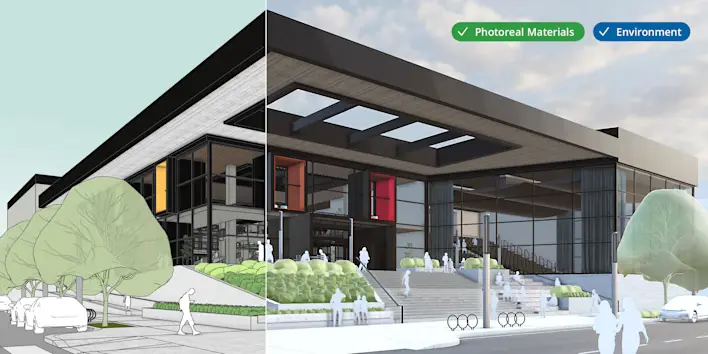
Real-Time Rendering
Real-time, realistic visuals inside SketchUp.
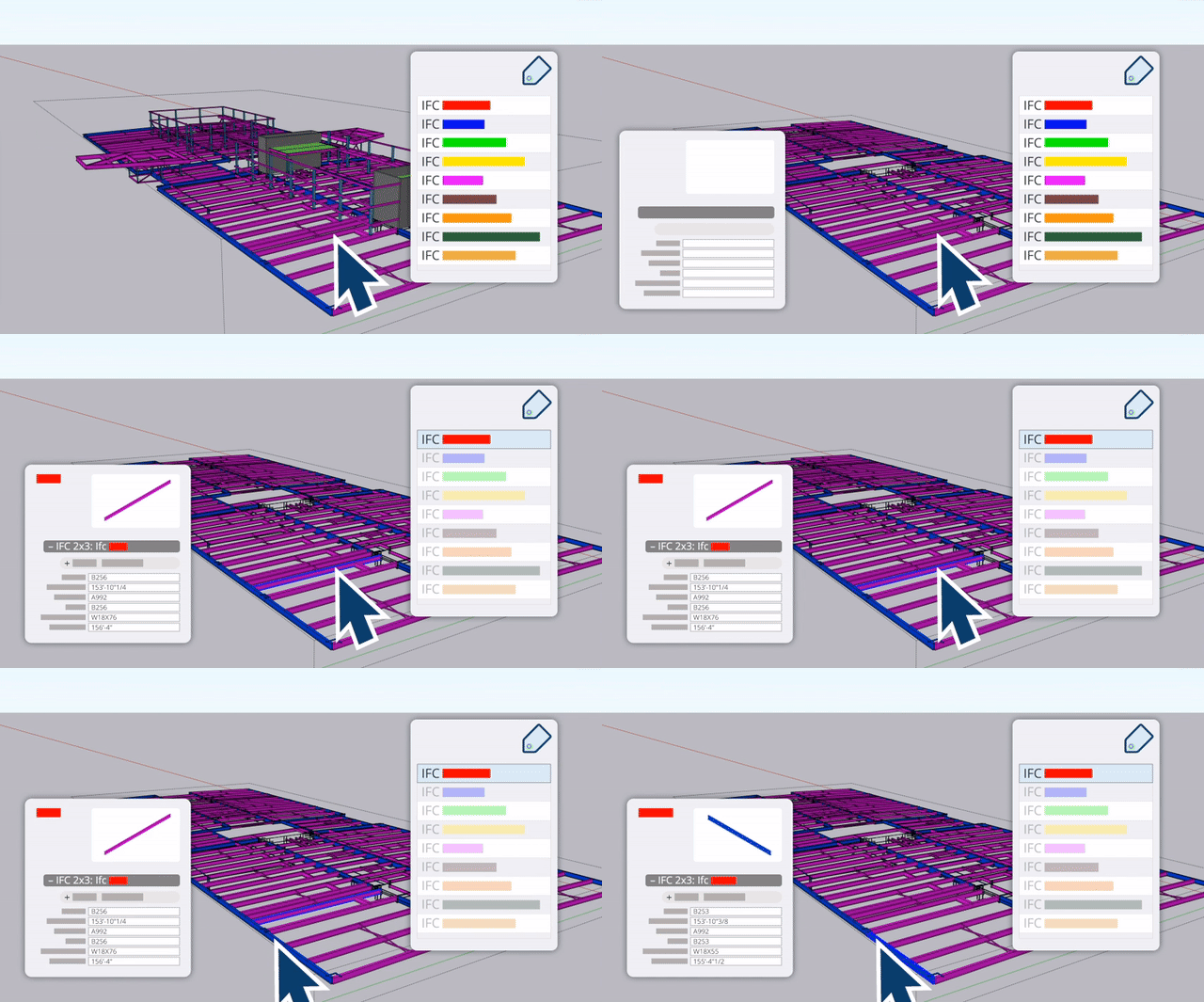
Seamless IFC interoperability
Smarter file handling and modernized component dictionaries
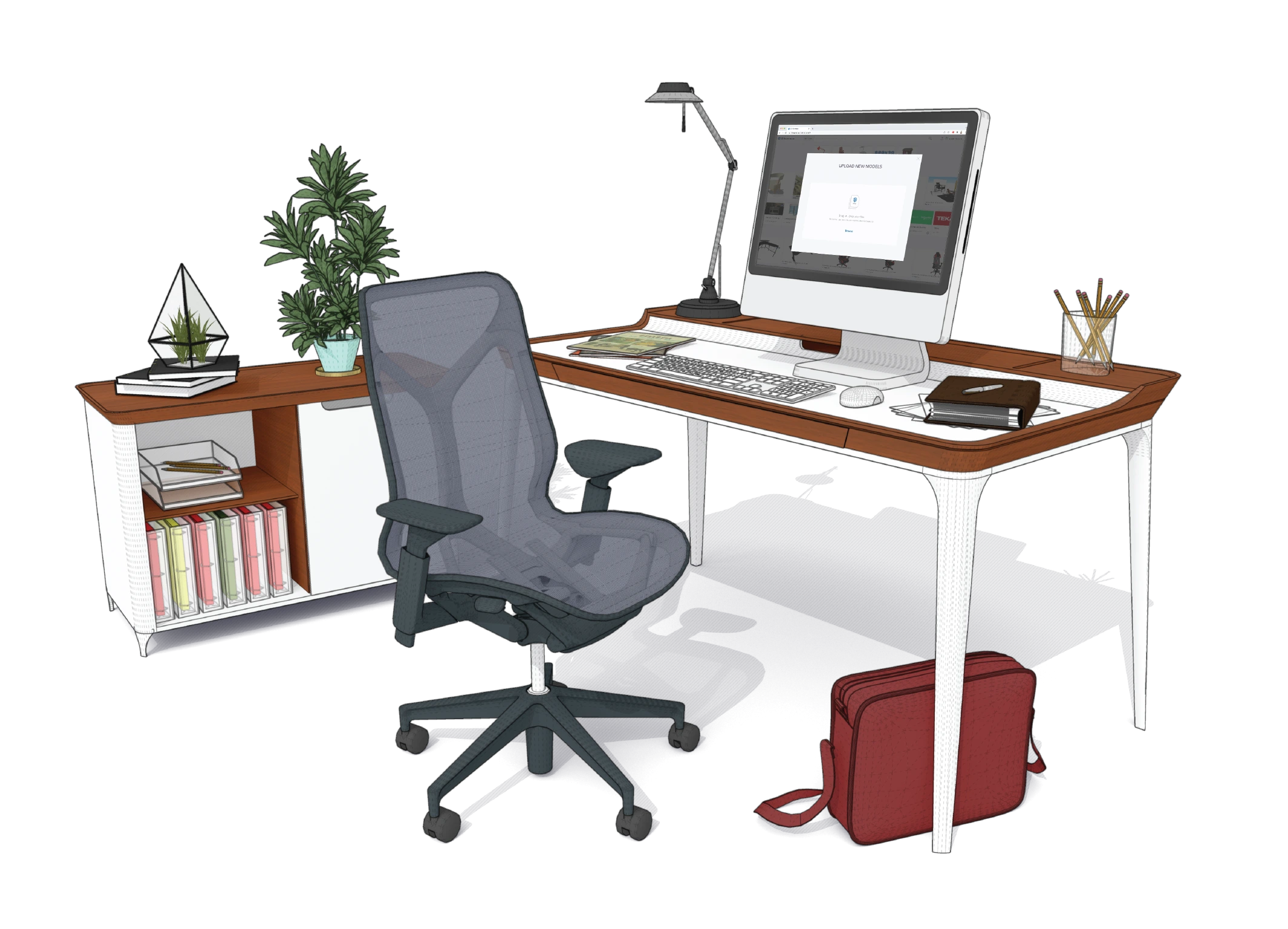
Extensive 3D Warehouse
Browse and import millions of ready-made 3D models, components, and materials to speed up your design process.

Extensions & Plugins
Expand SketchUp’s capabilities with powerful plugins for rendering, animation, productivity, and advanced modeling.

VR & AR Support
Showcase your designs immersively by exploring models in virtual and augmented reality through SketchUp Viewer.

Layout & Documentation
Generate precise 2D drawings, blueprints, and presentations directly from your 3D models with SketchUp LayOut.
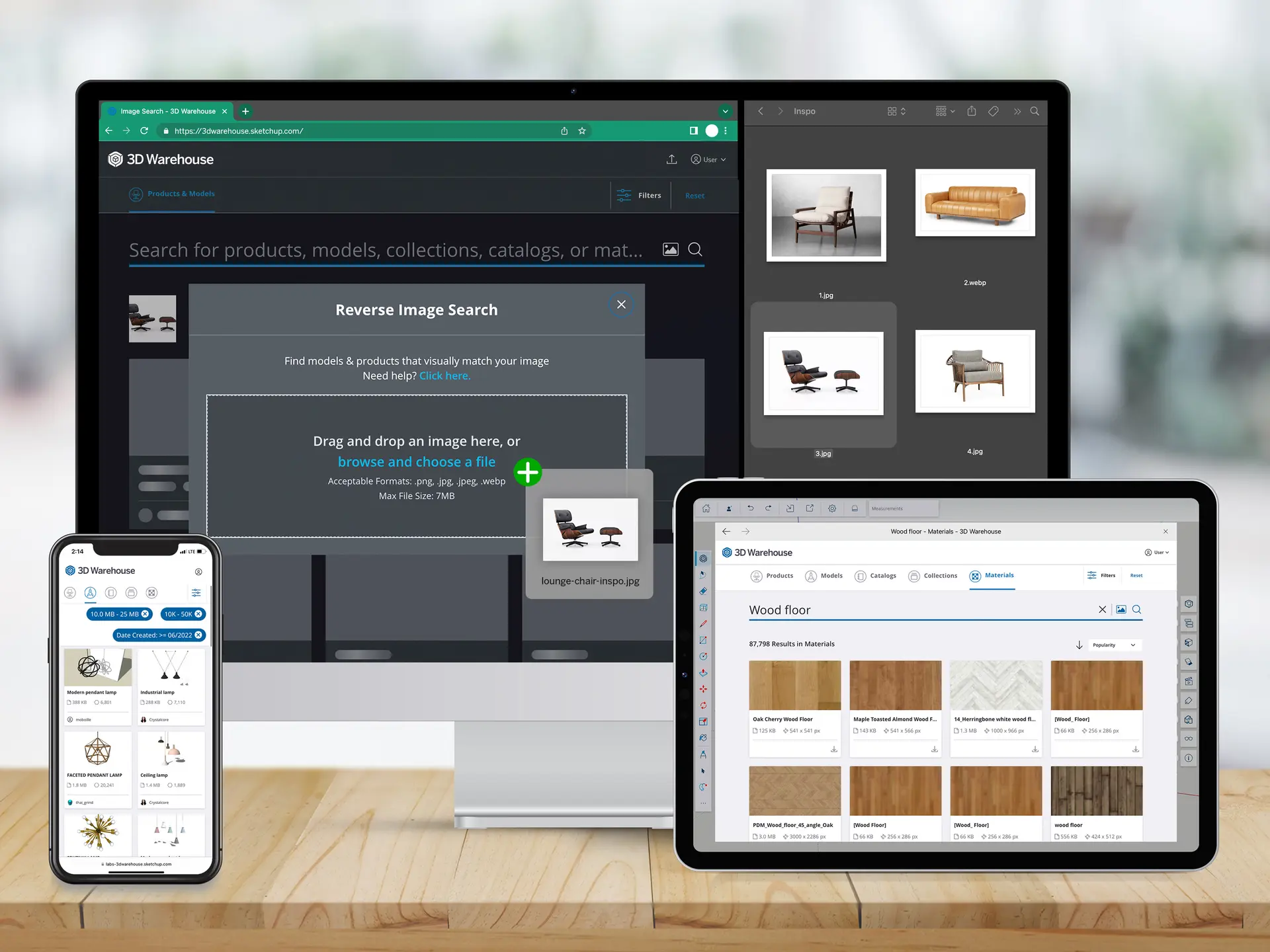
Search 3D Warehouse with Images
Search 3D Warehouse with images, not just text. Snap or upload inspiration and let AI find real, customizable models from millions of pre-built options — speeding up design, client approval, and specs.
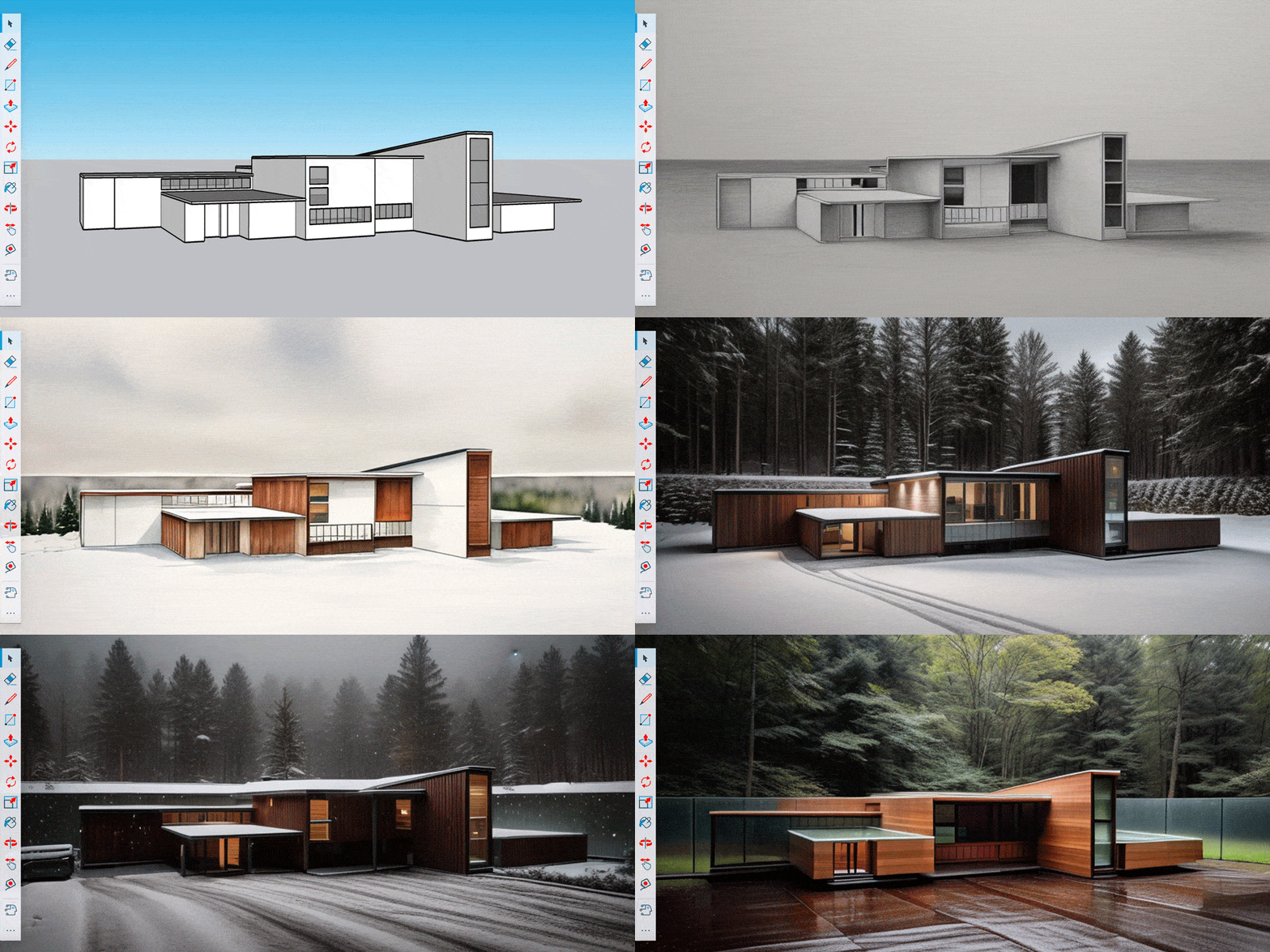
SketchUp Diffusion Lab
Use SketchUp Diffusion to turn simple models and text prompts into styled, photorealistic renderings in seconds — enabling faster design, clearer ideas, and smoother client communication.

Smarter Design with AI
SketchUp’s built-in AI tools — like AutoShape, image-search, Diffusion and Scan-to-Design — simplify modeling, speed up visualization, and help you use inspiration (photos, sketches, scans) to produce professional designs faster.
Newly Added AI Feature in SketchUp
Unlock a faster, more intuitive way to model. AI-powered tools in SketchUp help you generate concepts, refine details, and bring ideas to life with less effort and more precision.
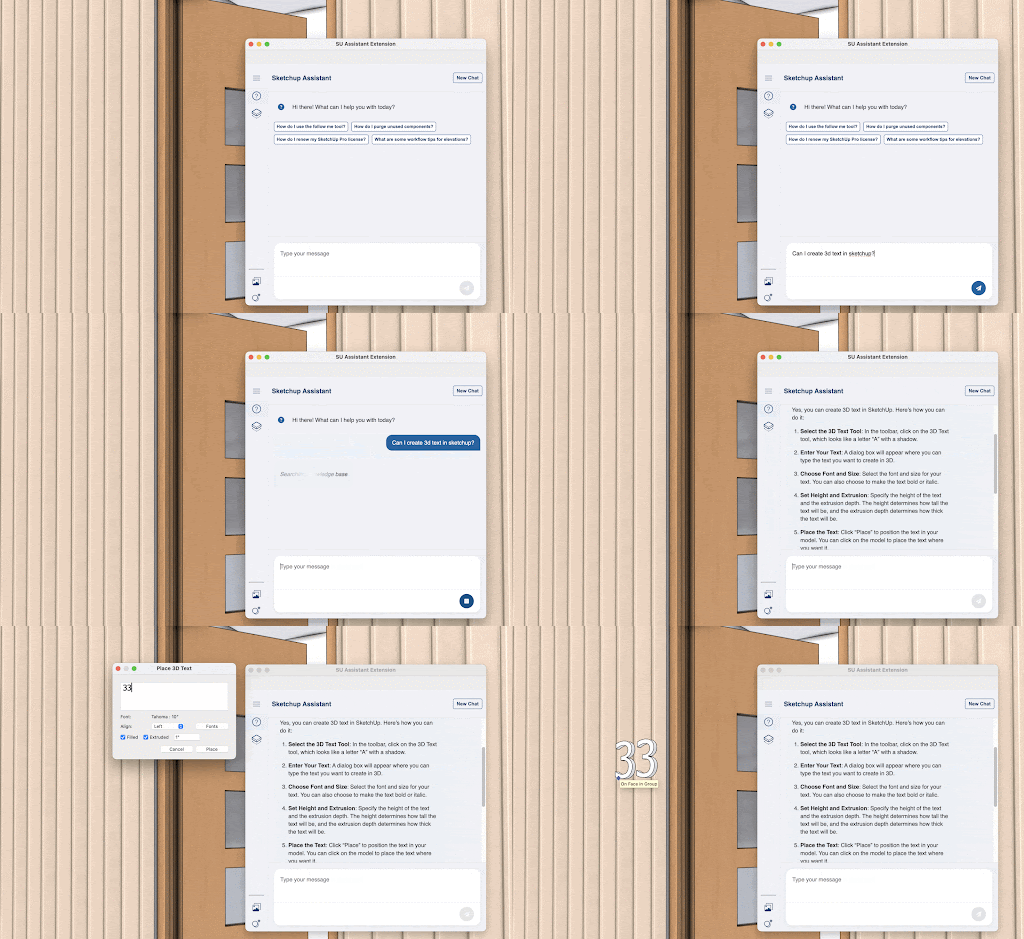
AI Chat Assistance
Get instant, in-app guidance whenever you need it. Ask questions, troubleshoot workflows, and receive smart suggestions to help you model faster and with confidence.
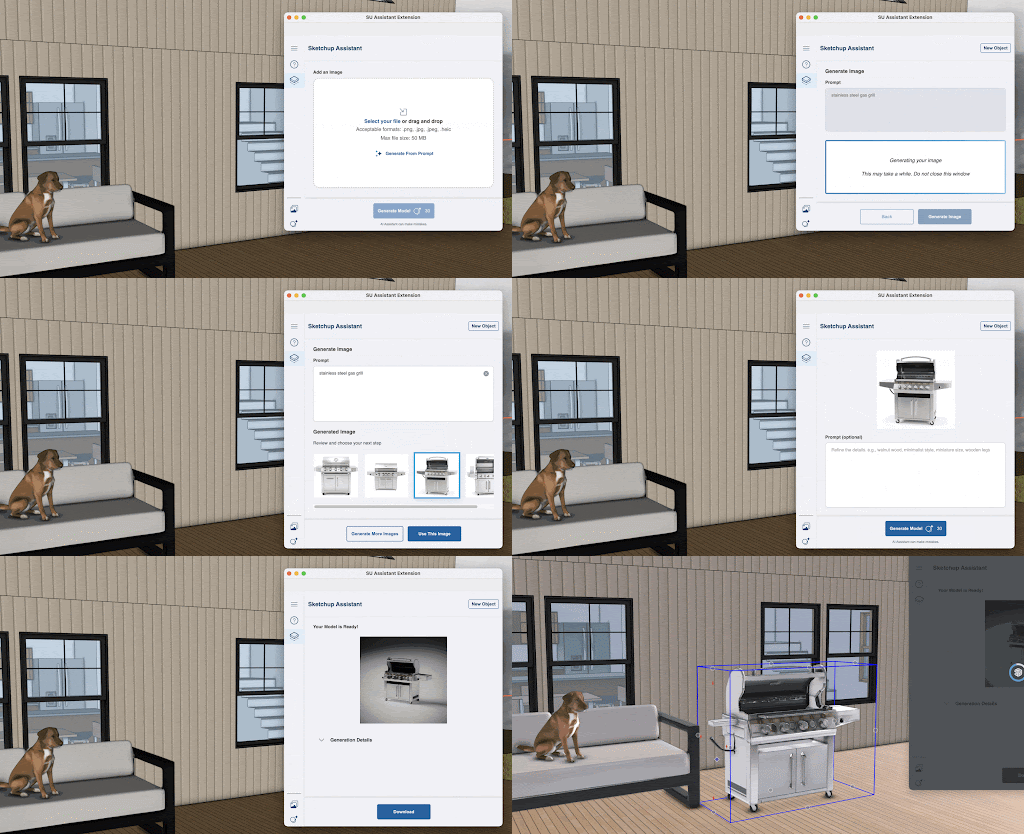
AI Generate Object
Create 3D objects in seconds using simple text prompts or images. Skip manual modeling and quickly add detailed assets directly into your design.
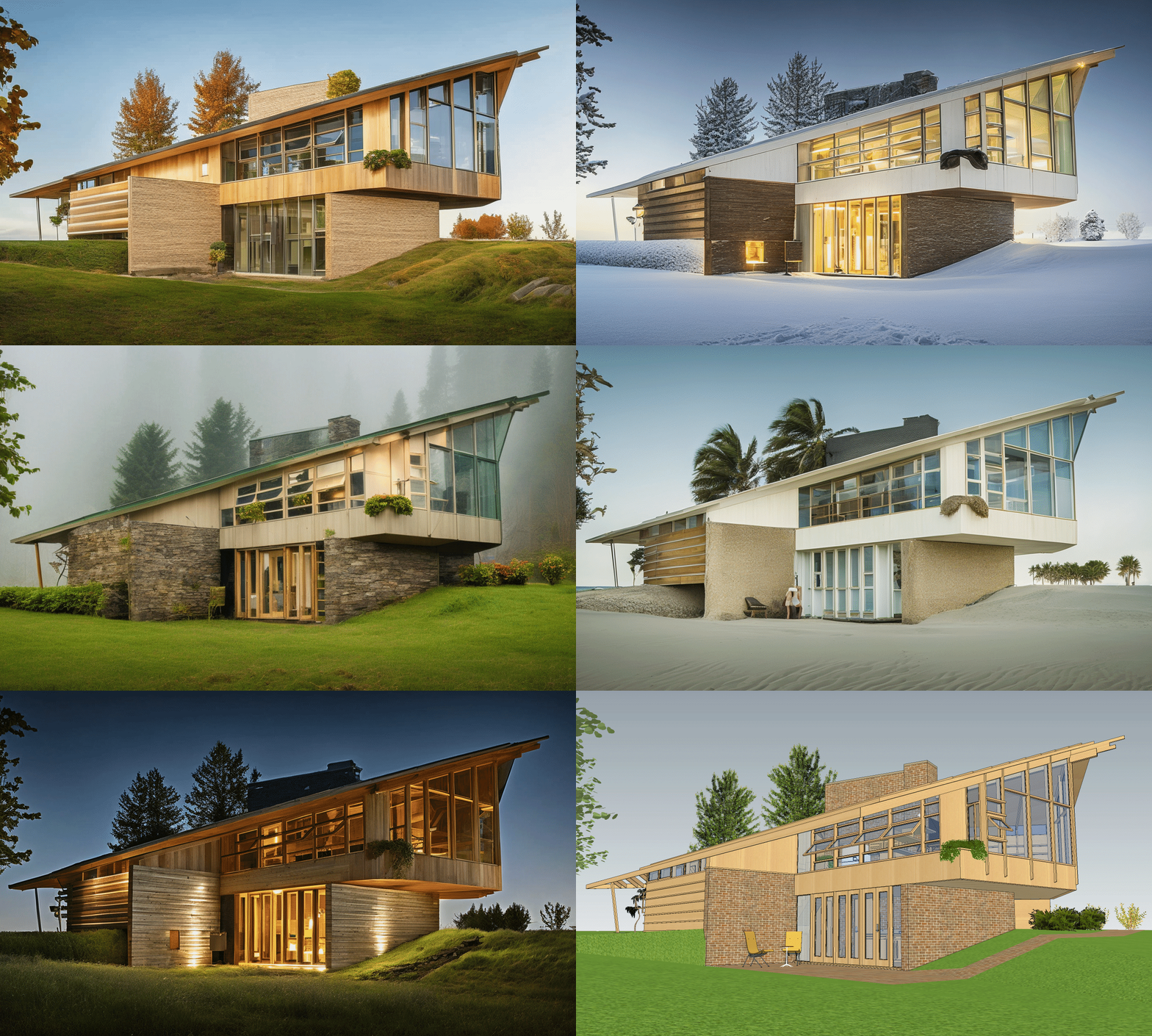
SketchUp AI Render
Turn your models into stunning, photorealistic visuals with AI. Combine your design with text prompts to generate high-quality renders that bring your ideas to life.
Disclaimer: All AI features on this website are powered by SketchUp and are independent of BIMAGE Consulting (M) Sdn Bhd. BIMAGE Consulting (M) Sdn Bhd is not responsible for the functionality, accuracy, or outcomes of these AI features.
Compare core plans & features
| Features | Go Essential | Pro Professional | Studio Specialist |
|---|---|---|---|
SketchUp for WebA streamlined version of the desktop modeler, SketchUp for Web, allows you to create in 3D straight in your web browser. With Trimble Connect’s integration, you can store projects in the cloud and share 3D models with collaborators using shareable links.
|
|||
Mobile ViewerView SketchUp models from your iPhone or iPad for free. Explore projects using multi-touch gestures, take measurements, control model visibility, and merge your models with the world around you in AR mode.
|
|||
SketchUp for iPadYour mobile 3D design toolkit. Perfect for creating, presenting and refining models effortlessly on-site, at home, or in the office. With Apple's powerful processing, intuitive touch controls, and support for Apple Pencil and Magic Keyboard, transform your iPad into a dynamic 3D canvas wherever inspiration strikes.
|
|||
SketchUp for DesktopProfessional, robust, and precise, SketchUp for Desktop is a full-featured and extensible 3D design platform. Our most popular 3D modeler lets you quickly and intuitively model anything you can imagine. Available for Windows and Mac.
|
|||
LayOutTransform the 3D models you create in SketchUp into professional, scaled and annotated 2D drawings and presentations with LayOut, a purpose-built 2D complement to SketchUp.
|
|||
3D WarehouseAccess over 5M pre-built 3D models and 2D elements, including curated Live Components, Photoreal Materials, and Environments. Discover your one-in-a-million object with AI-driven image & material search.
|
Unlimited downloads | Unlimited downloads | Unlimited downloads |
Trimble ConnectView, share, and access project information from anywhere with cloud-based Trimble Connect.
|
Unlimited cloud storage & projects | Unlimited cloud storage & projects | Unlimited cloud storage & projects |
PreDesignGet design recommendations based on climate data and building type. With PreDesign, you can weave contextual insights into your designs before you start in 3D.
|
|||
Extension WarehouseCustomize your SketchUp workflow with 600+ extensions that automate tasks, boost efficiency, and expand functionality.
|
|||
Scan EssentialsThe Scan Essentials extension makes it easy to import, view, and model directly on large point cloud data in SketchUp. Snap to your point cloud and use native SketchUp tools to build your model.
|
|||
V-Ray®Generate high-quality, photorealistic visuals for winning presentations with V-Ray's industry-standard capabilities. Explore atmospheric effects, artificial lights, textures and more.
|
|||
Revit ImporterShave hours off your Revit-to-SketchUp workflow. Accurately and efficiently convert your Revit models into SketchUp geometry for deeper collaboration across project phases, teams, and stakeholders.
|
|||
Dynamic ComponentsCreate custom parametric objects. Access and customize over 29,000 pre-built dynamic components from 3D Warehouse.
|
|||
Live ComponentsAccess a growing repository of Live Components, pre-built, configurable models for architecture, construction, and interiors. Customize and reconfigure dimensions and styles on objects such as windows and timber framework to suit your project needs.
|
|||
Photoreal MaterialsProduce richer, more realistic visuals with Photoreal Materials that accurately convey texture and represent how real-world materials react to light.
|
|||
EnvironmentsUse 360-degree images as a light source and visible background to create realistic environment lighting conditions that Photoreal Materials react to.
|
|||
AI CreditsAI Credits provide a monthly allowance for AI-powered tools and workflows.
|
100 credits/mo | 150 credits/mo | 200 credits/mo |
How SketchUp Works?
Syncing SketchUp and LayOut with Templates
Top 5 New Feature in SketchUp 2025
Tutorial: Reimagining the Eiffel Tower in a BETTER Style
Why choose BIMAGE?

We make technology works for you!
We provide you with:
SUCCESS STORIES
What Our Customer Says
Real reviews from all over the years


Let Us Help You Find The Right Solution!
Talk to one of our professional consultants now and we'll see how we can help you simplify your project with better productivity, cost-saving and high quality design.


BIMAGE Consulting is a technology base company who is specialised in the implementation of IR4.0 and digital transformation for the steel and construction industry. We are an authorised reseller for Autodesk, Matterport, Water Infrastructure Solutions (Innovyze), INFR (VR Collab), ESRI Malaysia, Airsquire and Fuzor software.
Info
Selangor
C-7-4, Block C, Setiawalk, Persiaran Wawasan,Pusat Bandar Puchong,47160, Puchong, Selangor, Malaysia.
Pulau Pinang
Room D, No. 25, Jalan Chain Ferry, Taman Chai Leng, 13700, Perai, Pulau Pinang
